What's New at Amazon?

Showing posts with label technology. Show all posts

Sunday, April 7, 2013

Pinterest Posts, Adding Specific Wording to Your Pins (Technology Tip)

Pinning is positively one of the joys of blogging.  When we are able to save that post that we just love, it makes our lives that much easier.  I was pinning away today and figured something out without even knowing it!  I am sure many of you have already figured this out, but for this gal, this is some BIG news.

Sometimes you want to copy the wording from the actual post and include it in your pin so you know exactly why you pinned it.  I am using a pin from Miss K in Bk, A Fifth Grade Blog to show you this little trick that saved me a ton of time today.  Take a look at this:

This is what I was pinning:
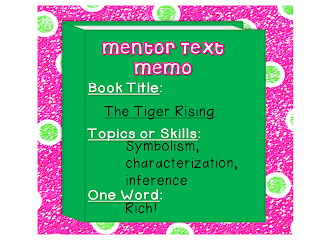

This is the text from the post that I wanted to include in the pin:

There's SO much you can do with this book.  It's great for inference, character analysis, simile and personification! 

Here is how you include it without having to copy and paste or retype the text:


First, highlight the text you want to include, right click and click copy:


Next,  pin the picture you want to include in the pin:


Look at the text in the description box, it is exactly what was highlighted and copied.  You don't need to paste it, the text is already there when you click 
Pin It!!!!

I hope this tip helped you, please leave me some love if this was something new to you.  If you already knew about this, leave me some love anyway.  A girl can never have too much love!


Saturday, September 8, 2012

iCPALMS: A Standards Based Resource for Everyone

Over the summer I had the opportunity to become a resource reviewer for CPALMS, a website for teachers in Florida (or anyone who wants FREE standards based lessons and activities).  I am proud to say that I was part of a team of teachers who re-aligned math resources to the Common Core State Standards and reviewed resources for Science and Reading.  I was then chosen to attend a 5 day retreat, where we continued to review resources to help CPALMS reach their deadline for funding.  We were able to help CPALMS and now you and the internet at large have the opportunity to enjoy the new iCPALMS!  This resource will add to your teaching and help you with the change in standards for years to come.  This site is standards based and will help you find resources that you can use.  It is made by teachers for teachers, so the resources are submitted by people just like us who have used these lessons in their classrooms.  Once a team of reviewers and experts have gone through the lessons, they are then released to the public on the website.  So you can be assured that all resources are tested and reviewed prior to going "live".  

Here are a few things that iCPALMS has to offer (the screen shots are a bit blurry, sorry):


To check it out for yourself and to sign up, head on over to www.cpalms.org.  Once there, you will be able to click on the iCPALMS intro tab and watch a video that shows you why this is such an important tool for you to enhance your teaching.  The fact that it is customizable and works with APPS (just like all of our favorite toys) is what makes this user friendly.  You have to play with it in order to get it to where you want it to be, so just be patient.  

I would love for you to come back and leave a comment once you check it out and let me know what you think, good and bad.  The team at CPALMS wants this to be something that everyone uses, so comments are encouraged.

Enjoy!


Thursday, July 5, 2012

Win a New Product From Carson-Dellosa

Tomorrow is the last day to enter my giveaway for 1 of 5 lessons from Carson-Dellosa's new Learning Spot interactive lessons.  I was lucky enough to use this product the last few months of school and was very happy with the outcome.  My students loved the interactive fun that it added to our lessons and I loved that I could use this as an assessment, taking me away from the humdrum assessments that I normally use. Each prize is valued at $14.99 and I am giving away 5 lessons (1 each to 5 different followers, your choice of lesson)  Click the pic to take you to the original post, where you can view the product video and enter for your chance to win!


Carson-Dellosa Learning Spot™ Lessons


Saturday, June 30, 2012

Learning Spot Review and GIVEAWAY

Read my review of the product and then enter for your chance to win 1 of 5 free Learning Spot Lessons from Carson-Dellosa!


Right before school ended, I was contacted by Carson-Dellosa to review their newest interactive product:  Learning Spot Lessons.  These lessons can be viewed on a whiteboard, a PC, or any other item that you may want to use.  


I was able to use the lessons during the last few weeks of school and have already been integrating them into my lessons for the upcoming school year. The 2 lessons I used the most during this time were:  Map Skills 1 and Wants and Needs, and Phonemic Awareness as it was easier for me to focus on Social Studies at the end of the year after the SAT-10 and review Phonemic Awareness skills with no pressure.


While using the Map Skills 1 students were able to come to the Promethean Board to work on a map and click to listen to descriptions and directions.  You have the ability to set the difficulty level, the language, and what lessons you want the student(s) to work on. Once in the student activities section, students can play a game that includes matching, moving parts, etc. to continue with the learning process.  There are also practice pages to print, which you can use as a hard copy for grading or portfolio work.  If you ever need a full overview, each lesson has a teacher notes section explaining everything that is included in the lessons.  I was able to differentiate according to student need.  


You can use the interface without a Smart Board or Promethean Board, as there is a pen and eraser function included.  There is also a button for standard correlations, so aligning the lessons to Common Core or other standards is at the ready.


Here is a short video highlighting the features:


Now onto the GIVEAWAY!!!!!!  I was given 5 Free Lessons to share, so that means 5 lucky followers will win one lesson each, including the download of the interface for your computer!  I am using Rafflecopter, so follow the directions and keep your fingers crossed. Thank you for following!


a Rafflecopter giveaway  


Friday, September 16, 2011

Stumble Upon

New obsession:  stumbleupon.com!  You have to try this out, you may never sleep again between blogging, pinning, and stumbling!  Follow me when you get there:  pinksmyink!